Setup Instructions
Nexgen Tooling LLC
Booth: 431749
Step 1: Download the app
Search for 'XPress Leads App' in the Apps Store or Google Store and install it on your device.

Step 2: Activate Your License
Open the app, select "Activate", and scan the License Key QR Code.

License Key Number
9A91BF9390F04C9
License Seats Available
4
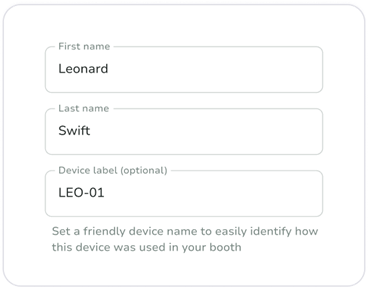
Step 3: Name Your Device
Assign a unique name to your device; it will appear in your lead download Excel file for easy tracking.
Step 4: Test Your App
Try a few test scans to get familiar with the features.

Badge
200000
Last Name
Test MM

Badge
200001
Last Name
Test Last

Badge
200066
Last Name
Testing